Offline-first POS for Pakistan

Everything your business needs. One powerful POS.

A desktop Point of Sale for Windows and macOS — built for Pakistani retail, kiryana, grocery, and pharmacy counters. Manage sales, inventory, purchases, khata, finance, employees, and reports from one desktop system.
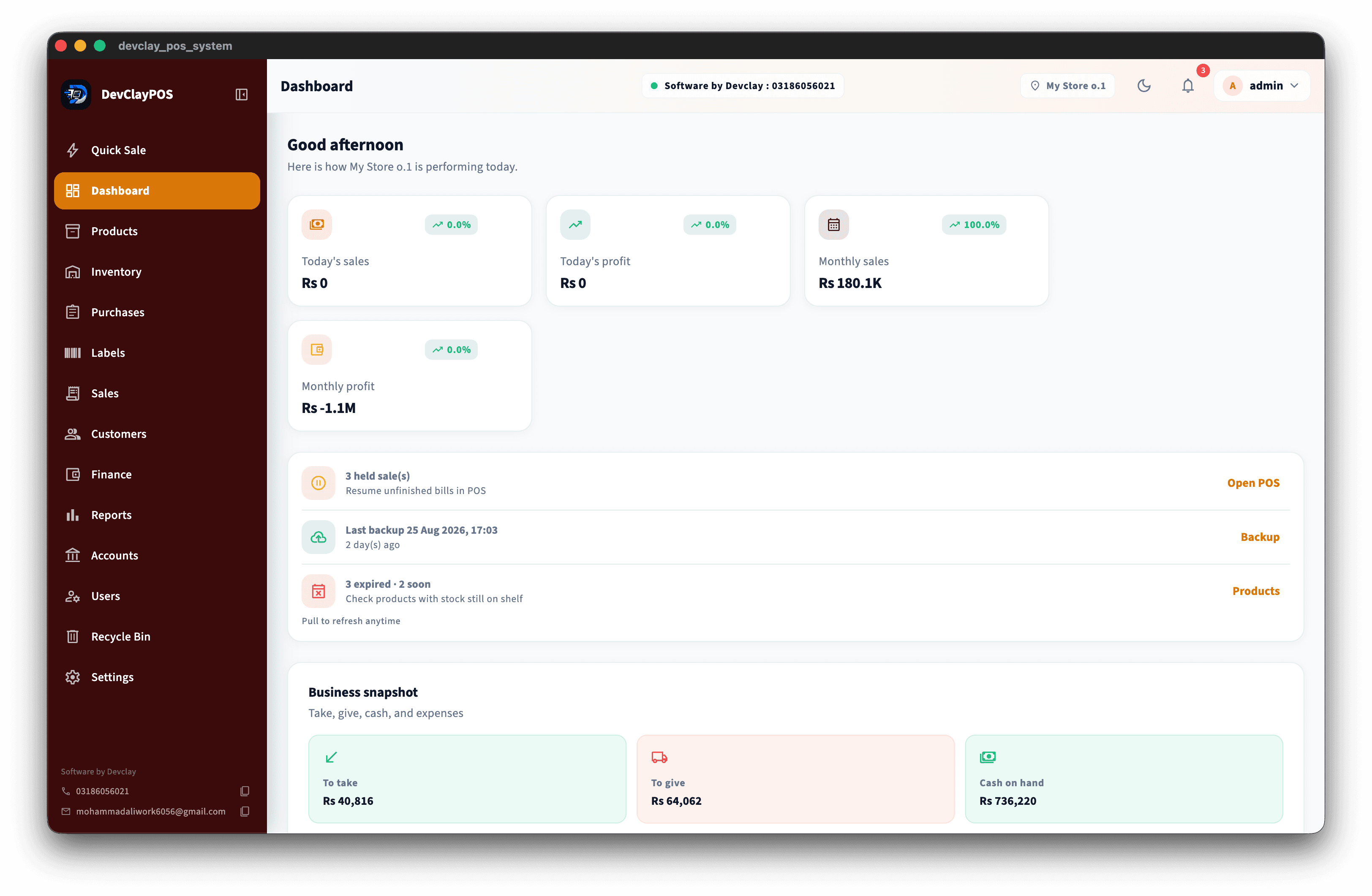
DevClayPOS hero screenshot

Why DevClayPOS?

Not Just Billing. Run Your Entire Business.

A simple look at what shops usually get — and what DevClayPOS is built to do.

FeatureTraditional POSCloud-Only POS
DevClayPOS
Works without internetLimitedNo / Limited
Yes
Fast barcode checkoutYesYes
Yes
Sell by kg, liter & meterLimitedLimited
Yes
Customer Khata / CreditBasicVaries
Yes
Batch & expiry trackingLimitedVaries
Yes
Supplier & purchase managementBasicVaries
Yes
Expenses & payrollLimitedVaries
Yes
Advanced business reportsBasicYes
30+ Reports
Barcode label printingLimitedVaries
Yes
User roles & permissionsLimitedYes
Yes
Local business workflowsLimitedLimited
Pakistan-focused
Local supportVariesVaries
Yes

Categories only — not named competitor products. Features listed are available in DevClayPOS.

See the difference

Short clips and screenshots that show how DevClayPOS works in real shops. Drop your media into these slots anytime.

Works without internet

Image or video coming soon

Works without internet

Keep selling at the counter even when the connection drops.

Khata & credit

Image or video coming soon

Khata & credit

Customer and supplier balances in one clear system.

Business reports

Image or video coming soon

Business reports

See sales, stock, and money without complicated spreadsheets.

Built for how Pakistani businesses actually work.

From the counter to inventory, khata, suppliers, expenses and reporting — DevClayPOS keeps your business running even when the internet doesn’t.

Built for your shop

DevClayPOS works for these stores

One system for different counters — from kiryana and milk shops to pharmacy, clothing, cosmetics, electronics, and wholesale.

Retail Store

DevClayPOS for retail counters — barcode checkout, stock, suppliers, khata, and cashier control.

  • •Barcode checkout
  • •Stock management
  • •Purchases and suppliers
See how it fits →

Grocery Store

Built for busy grocery and kiryana counters with fast billing, kg/liter selling, and daily closing.

  • •Fast checkout
  • •Sell by kg or liter
  • •Barcode support
See how it fits →

Milk / Dairy Shop

Already working in dairy and milk shops — liter selling, fast billing, stock, suppliers, and daily closing.

  • •Sell by liter
  • •Fast counter billing
  • •Stock and low-stock alerts
See how it fits →

Pharmacy

Batch expiry, FEFO stock deduction, and clear alerts so medicine shelves stay under control.

  • •Batch expiry tracking
  • •FEFO stock deduction
  • •Product stock
See how it fits →

Clothing Store

Size and color variants, SKUs, barcode labels, returns, and stock visibility for apparel shops.

  • •Size variants
  • •Color variants
  • •SKU management
See how it fits →

Cosmetics Store

Product stock, barcode billing, variants, suppliers, and clear sales tracking for cosmetics and beauty shops.

  • •Barcode checkout
  • •Product and brand stock
  • •Variants and SKUs
See how it fits →

Electronics Store

Working for electronics shops — barcode sales, stock control, suppliers, customer balances, and reports.

  • •Barcode checkout
  • •Product and accessory stock
  • •Supplier purchasing
See how it fits →

Wholesale

Purchase management, bulk quantities, customer balances, and khata for wholesale operations.

  • •Supplier purchasing
  • •Bulk quantities
  • •Customer balances
See how it fits →

Don’t see your shop?

No one should feel left out. Tell us what you sell — we can show how DevClayPOS fits your business, or help with a custom setup.

  • •Any retail or trade counter
  • •Custom workflows
  • •Talk to DevClay directly
Contact us →

Incoming store types

Coming soon

Café

Coming soon

Quick sale screens and simple stock for cafés and small food counters.

Restaurant

Coming soon

Order-style selling and kitchen-friendly workflows — planned for a later release.

Cloud Kitchen / Takeaway

Coming soon

Takeaway and cloud kitchen billing with simple stock and order tracking — coming soon.

Features

Everything inside DevClayPOS

From offline selling and fast checkout to khata, stock, labels, finance, and reports — clear tools for real shops.
Offline-first screenshot

Offline-first

Keep selling on Windows and macOS even when the internet is down.
  • •Works without internet for daily selling
  • •Local database on the shop PC
  • •Windows and macOS desktop apps
  • •Backup and restore
  • •Keep billing running during internet outages
  • •Cloud not required for checkout
  • •Data stays on your computer
  • •Resume after power or network cuts
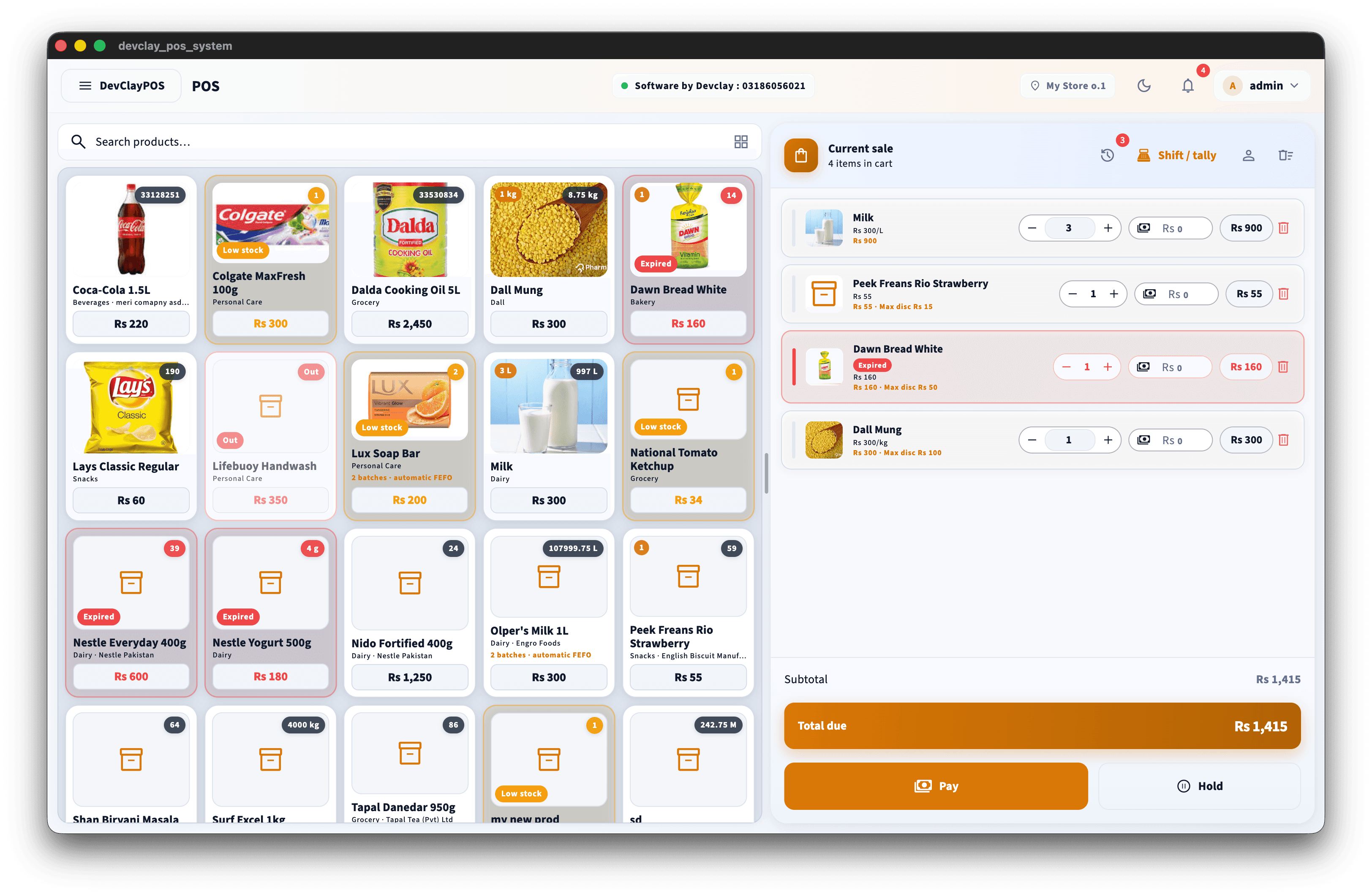
Fast modern checkout screenshot

Fast modern checkout

Barcode-first Quick Sale built for busy Pakistani counters.
  • •Barcode-first Quick Sale screen
  • •Product grid and category filters
  • •Hold and resume bills
  • •Cash, card, split, and khata payments
  • •Discounts, tax, and returns
  • •Optional cashier shift / drawer control
  • •Search by name, SKU, or barcode
  • •Clear bill totals in PKR / Rs
Flexible selling screenshot

Flexible selling

Sell by piece, kg, liter, or meter — including rupees worth.
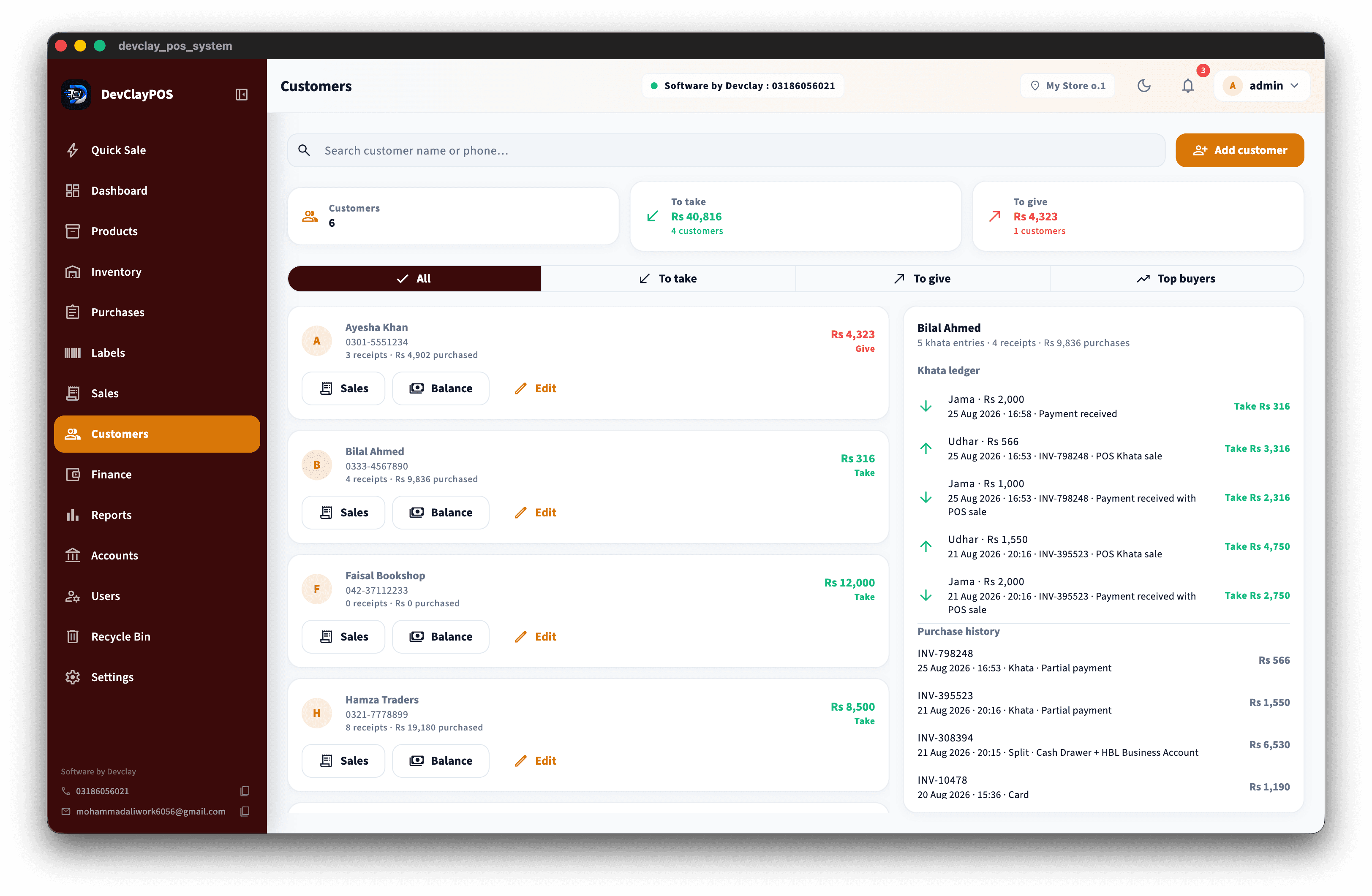
  • •Sell by pcs, kg, liter, or meter
  • •Enter quantity or Rs worth
  • •Ideal for kiryana and loose goods
  • •Same screen for fixed and variable units
  • •Accurate stock deduction per unit
  • •Barcode and grid selling together
  • •Fast line edits on the bill
  • •Built for real counter speed
Khata & customer credit screenshot

Khata & customer credit

Customer udhaar and supplier payables that match how shops settle.
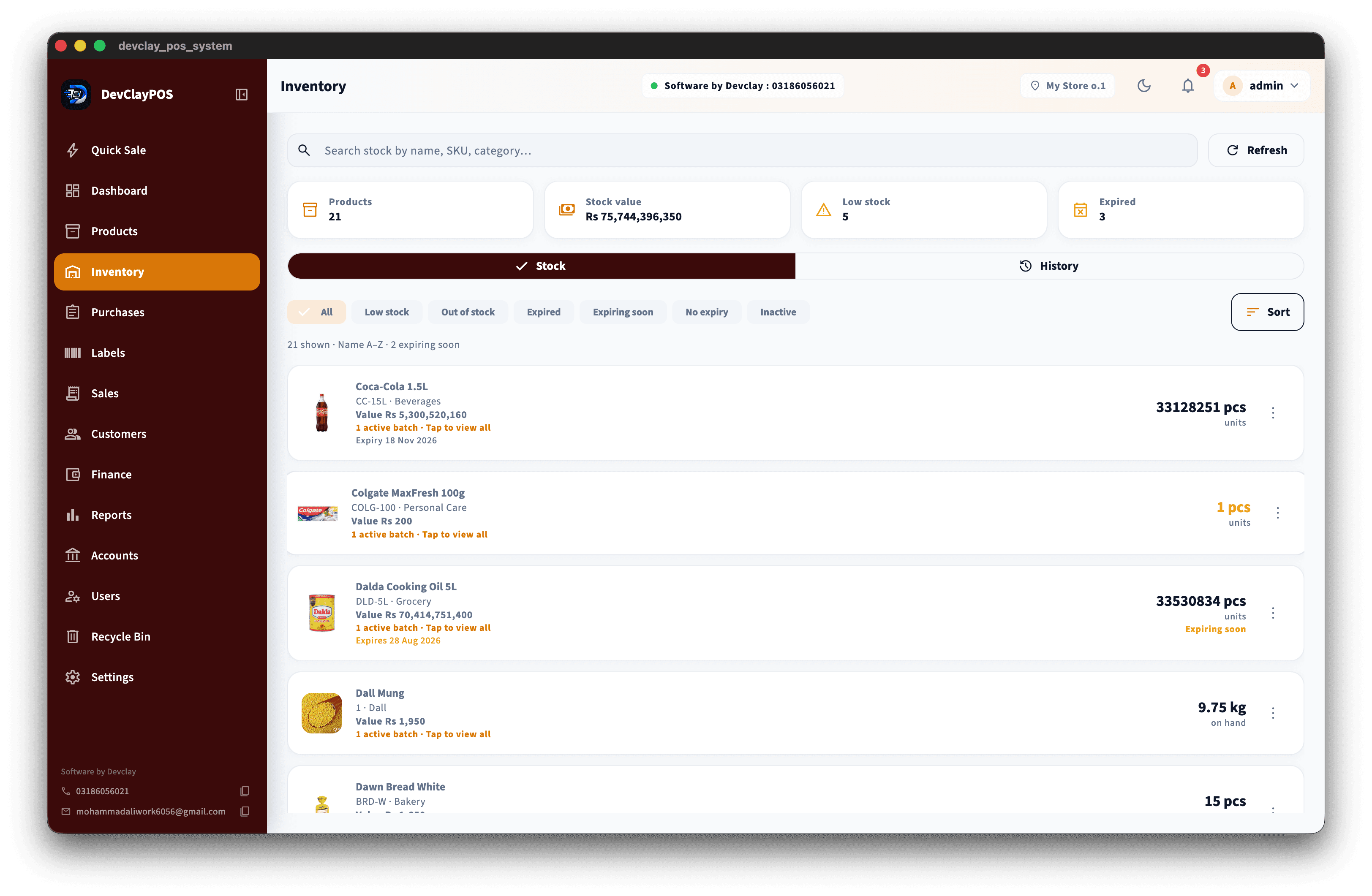
  • •Customer khata / credit sales
  • •Supplier payables tracking
  • •Credit limits
  • •Balance history and statements
  • •Collect payments against khata
  • •Supplier payment records
  • •Clear give / take ledgers
  • •No separate notebook for udhaar
Inventory, batches & expiry screenshot

Inventory, batches & expiry

Know what you have, what is low, and what is expiring.
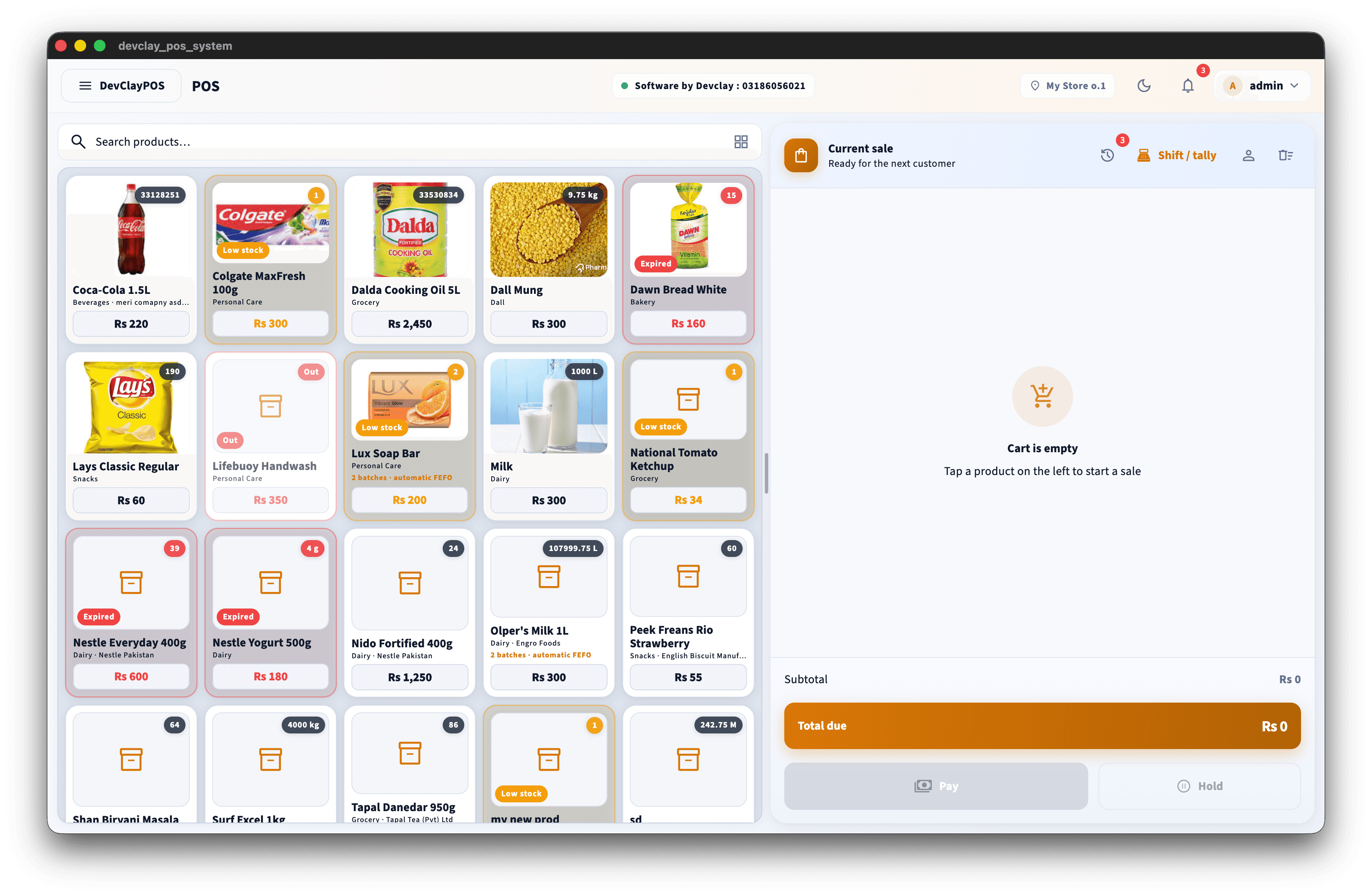
  • •Live stock levels
  • •Low-stock alerts
  • •Batch codes and expiry dates
  • •FEFO stock deduction
  • •Stock adjustments and write-offs
  • •Receive stock from purchases
  • •Categories and variants
  • •Dead stock visibility
Products catalog screenshot

Products catalog

SKU, barcode, pricing, tax, and images for your full catalog.
  • •SKU and barcode per product
  • •Pricing and tax settings
  • •Product images
  • •Categories and brands
  • •Size and color variants
  • •Cost and selling price
  • •Quick product search
  • •Bulk-friendly product setup
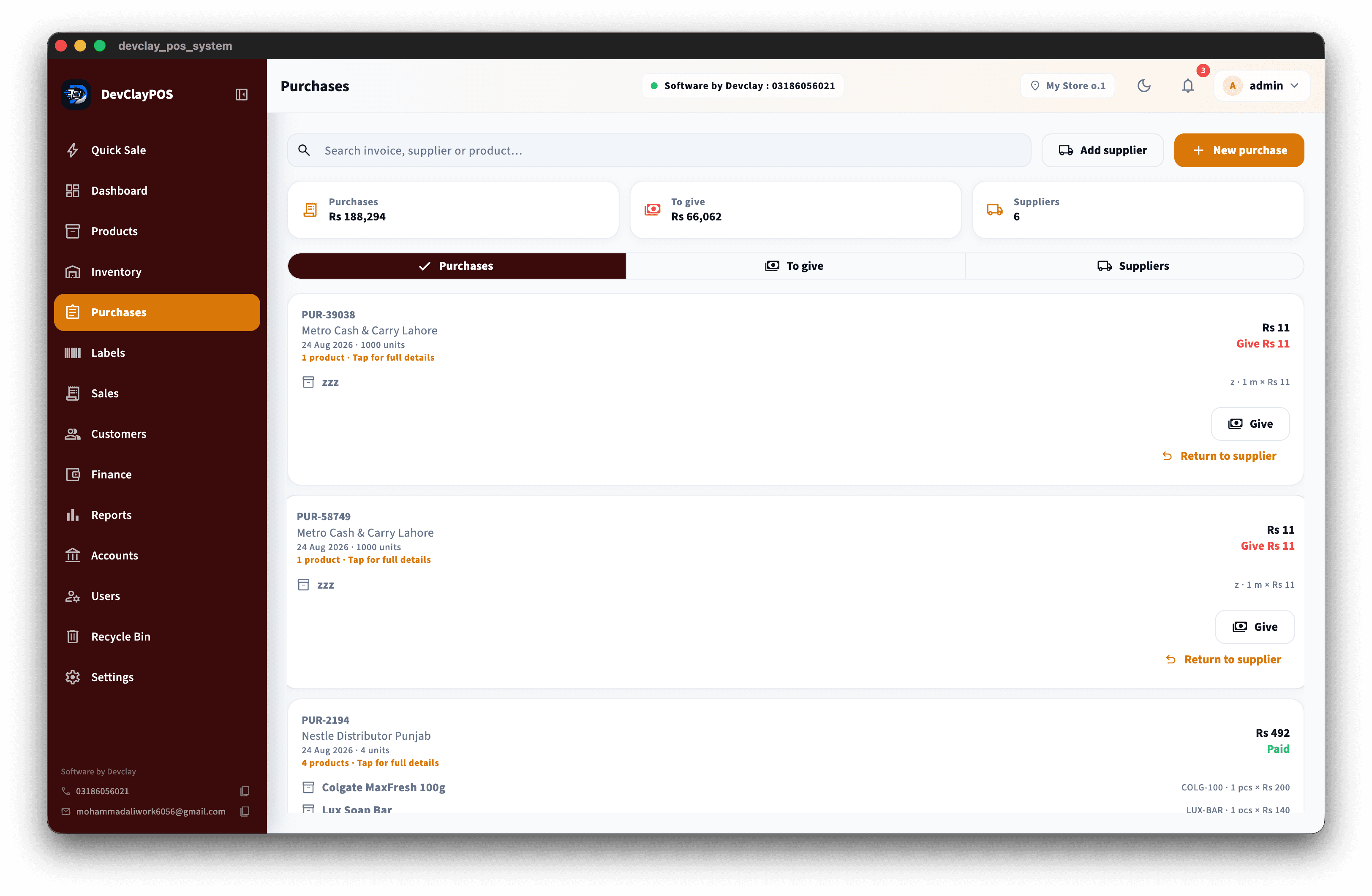
Purchases & suppliers screenshot

Purchases & suppliers

Buy stock, track dues, and keep suppliers organized.
  • •Supplier profiles
  • •Create and receive purchases
  • •Track supplier dues
  • •Purchase returns
  • •Purchase history
  • •Supplier payments
  • •Stock updates on receive
  • •Clear purchase totals in PKR
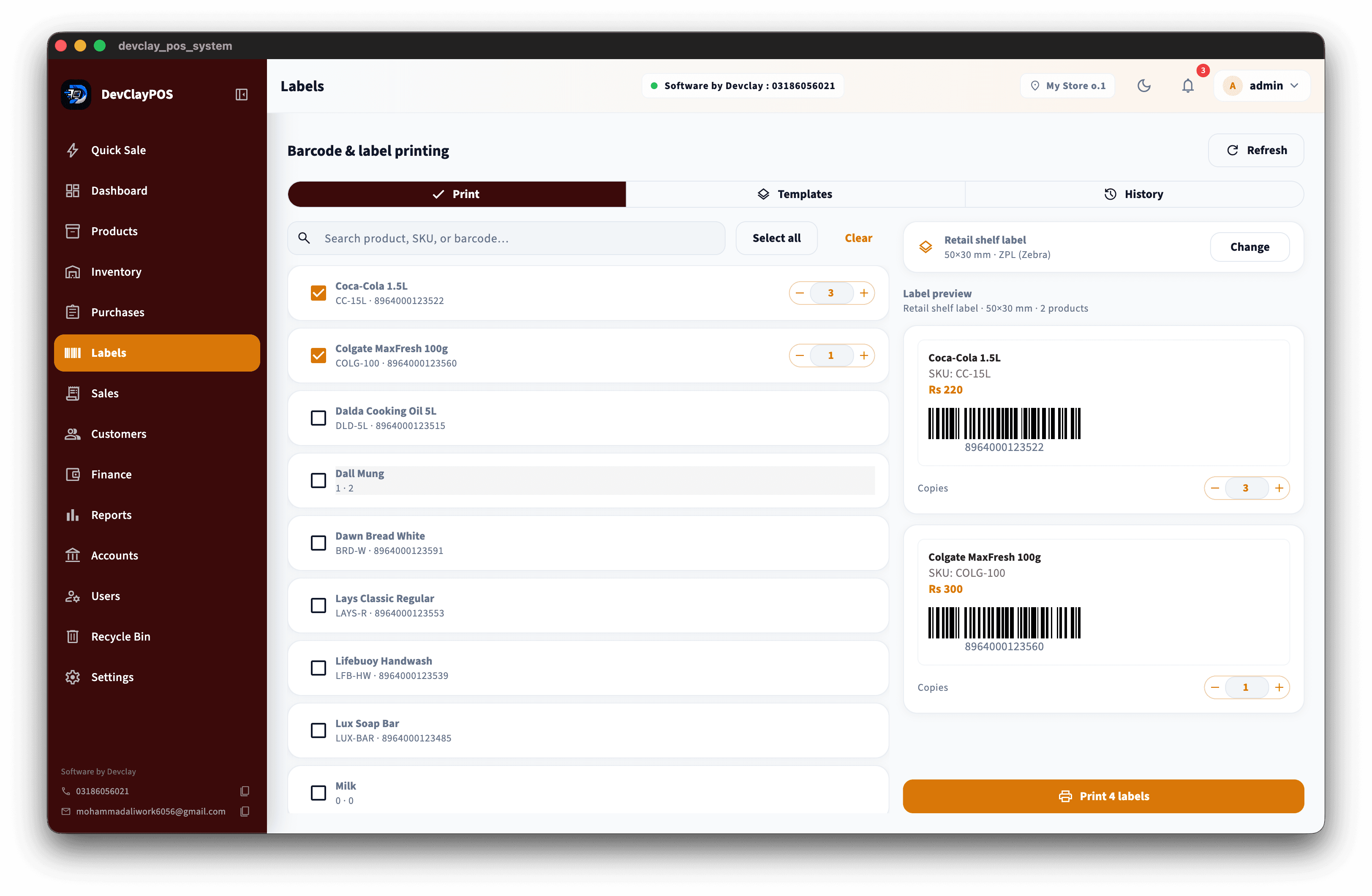
Barcode labels screenshot

Barcode labels

Print shelf and product labels with Zebra, thermal, or PDF.
  • •Zebra ZPL printing
  • •Thermal ESC/POS labels
  • •PDF label export
  • •Retail, grocery, and pharmacy templates
  • •SKU and price on labels
  • •Shelf and product formats
  • •Print from the counter PC
  • •Templates matched to shop type
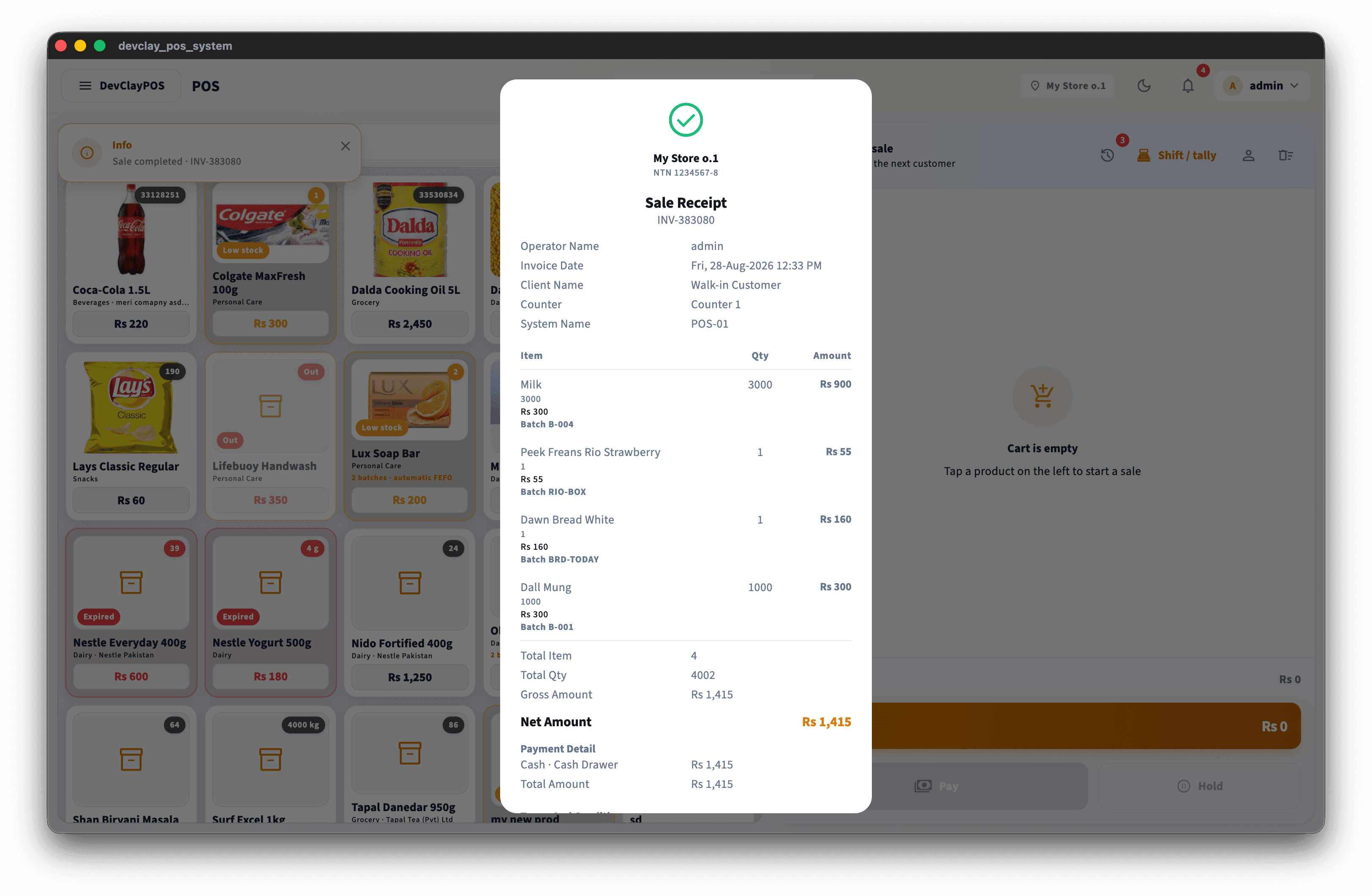
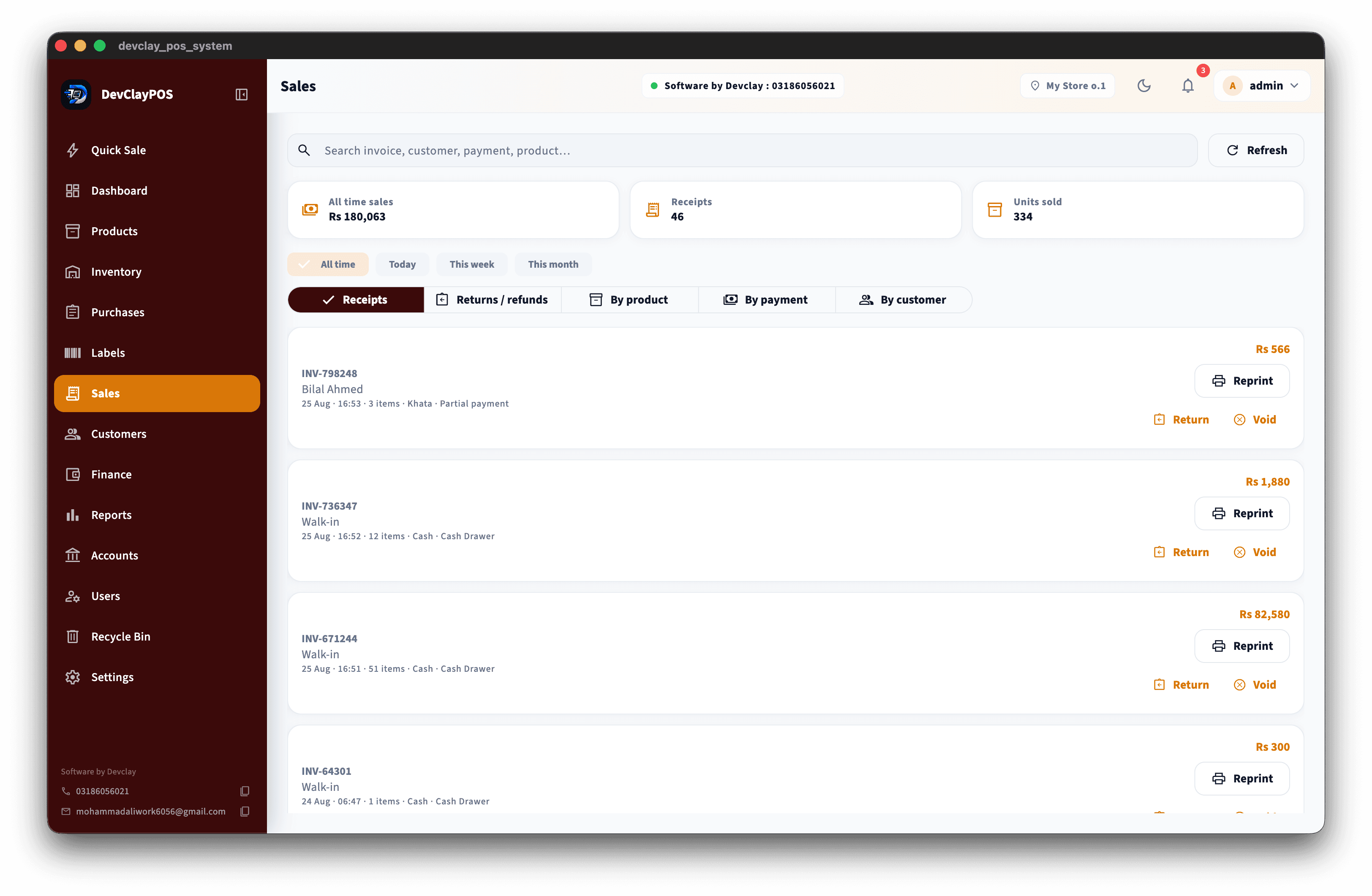
Sales history screenshot

Sales history

Receipts, returns, voids, and a clear record of counter sales.

  • •Past receipts and invoices
  • •Returns and voids
  • •Search by date, bill, or customer
  • •Reprint receipts
  • •Cashier activity tracking
  • •Payment method history
  • •Khata sale history
  • •Clear audit of daily sales
Dashboard screenshot

Dashboard

See today’s sales, alerts, and shortcuts in one place.
  • •Today’s sales at a glance
  • •Stock and alert overview
  • •Payment and cash summaries
  • •Shortcuts to common tasks
  • •Owner-friendly daily view
  • •See what needs attention first
  • •Simple numbers in PKR
  • •Built for busy shop mornings
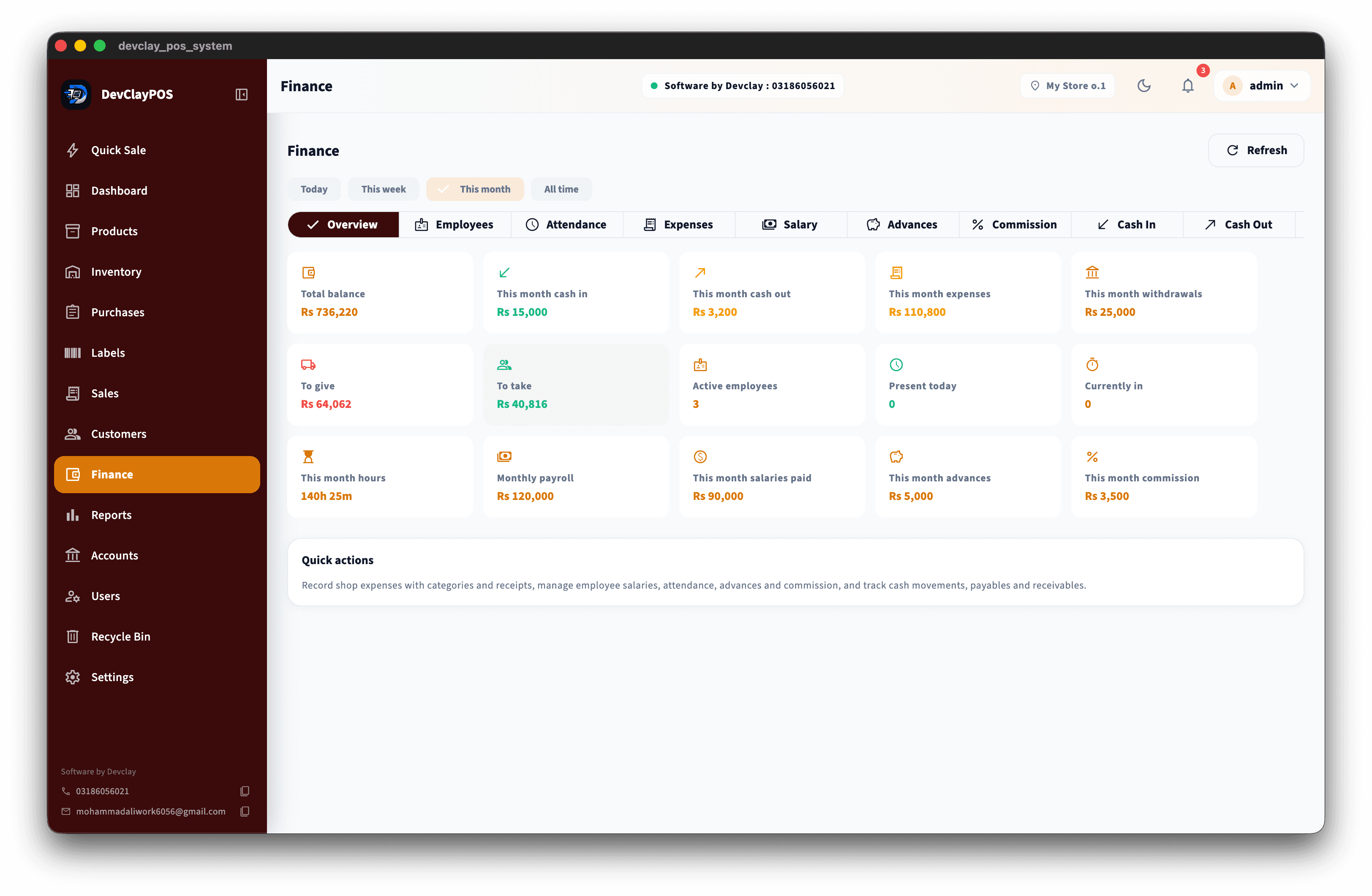
Finance, expenses & payroll screenshot

Finance, expenses & payroll

Expenses, salaries, cash flow, and daily closing in one system.
  • •Business expenses
  • •Staff salaries and commissions
  • •Cash in and cash out
  • •Daily closing
  • •Expense categories
  • •Payables and receivables
  • •Payment history
  • •Profit clarity without extra apps
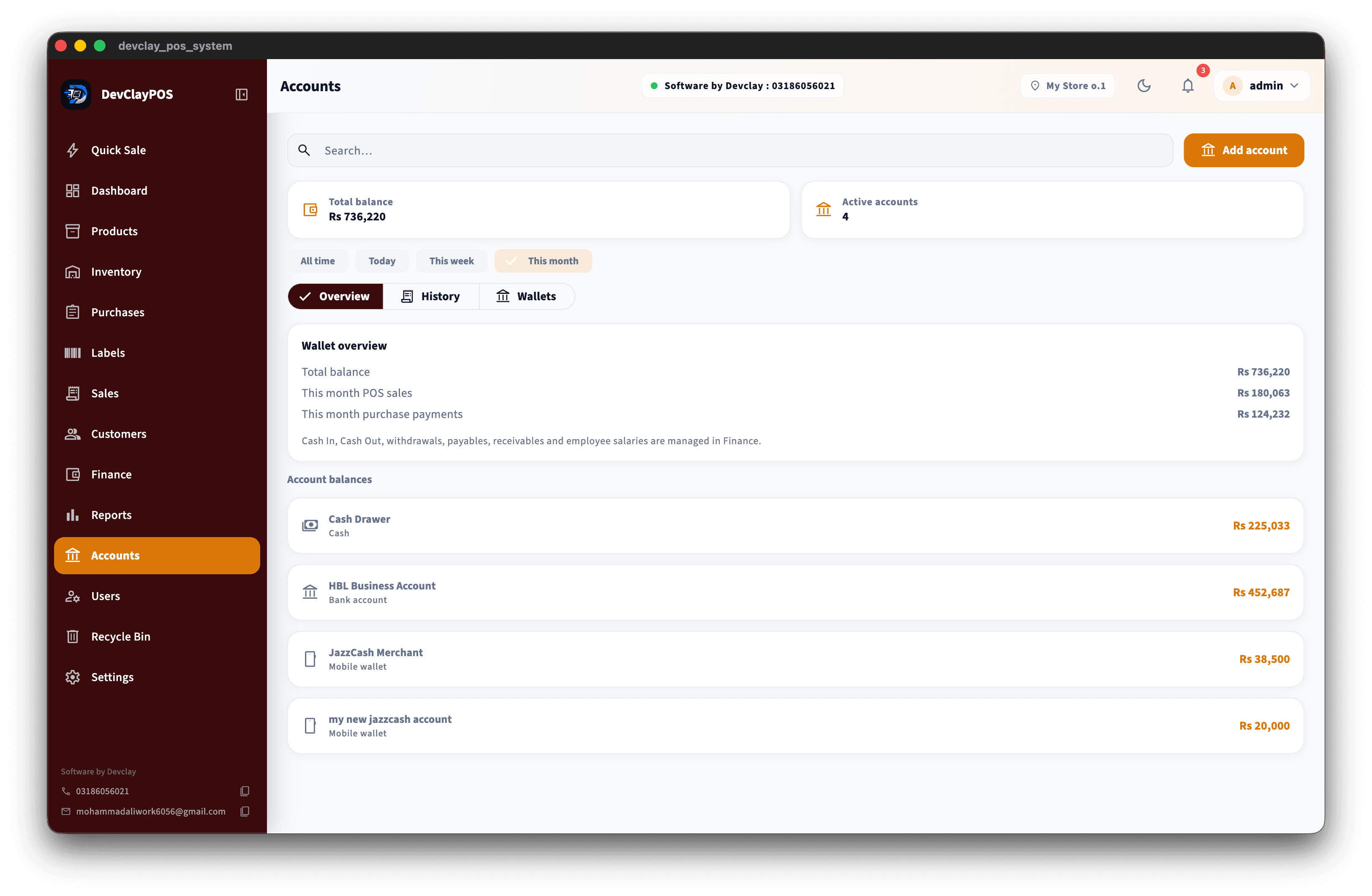
Accounts screenshot

Accounts

Cash, bank, and wallet balances for shop money.
  • •Cash account
  • •Bank accounts
  • •Mobile wallets
  • •Transfers between accounts
  • •Balance visibility
  • •Payment method mapping
  • •Shop money in one place
  • •Simple account history
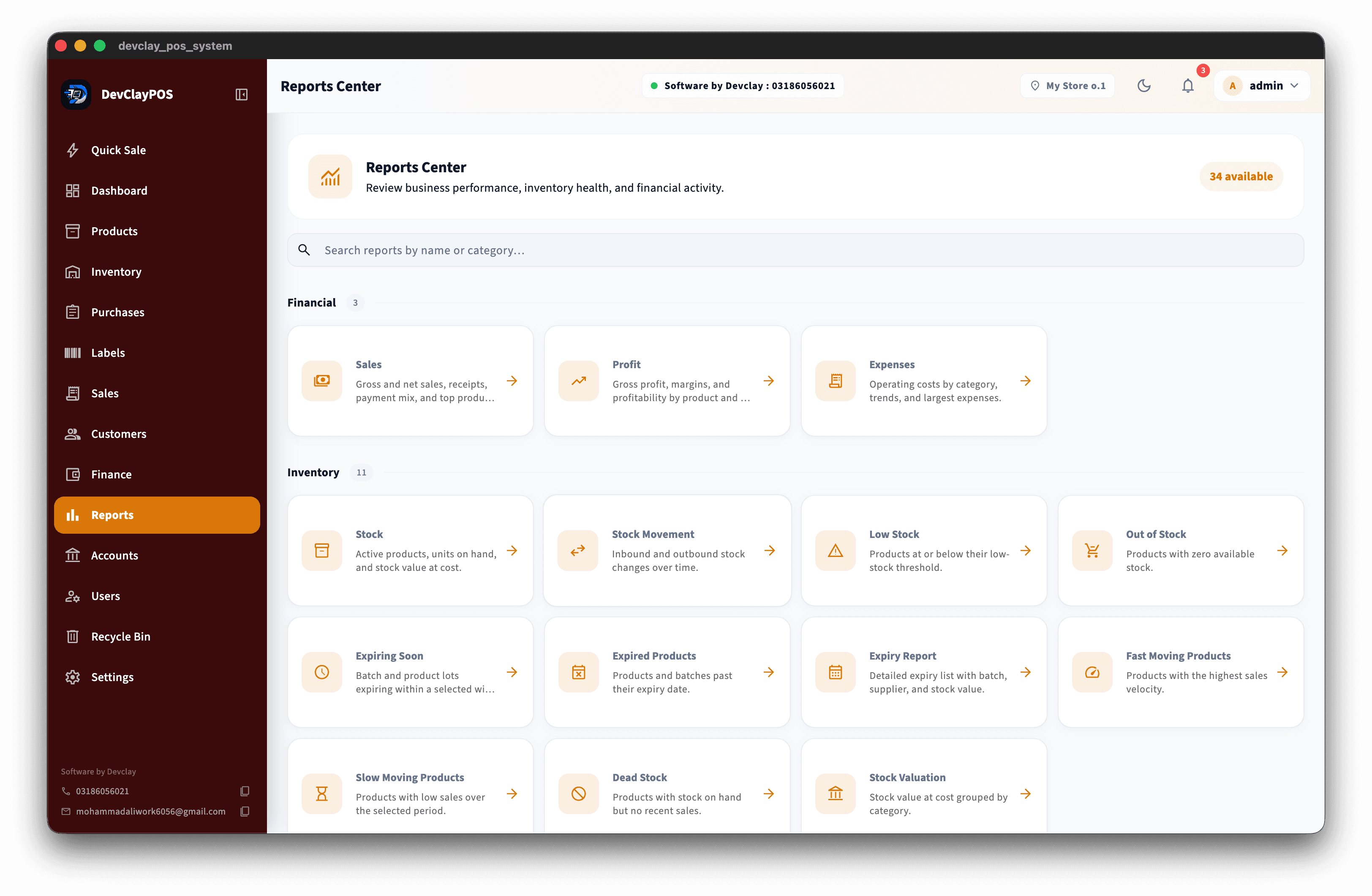
Reports screenshot

Reports

Thirty-plus reports with export — without complicated spreadsheets.
  • •34+ business reports
  • •Sales and profit
  • •Stock, expiry, and dead stock
  • •Payments and expenses
  • •Top products
  • •Valuation reports
  • •Staff and receipt reports
  • •Export to PDF, Excel, or CSV
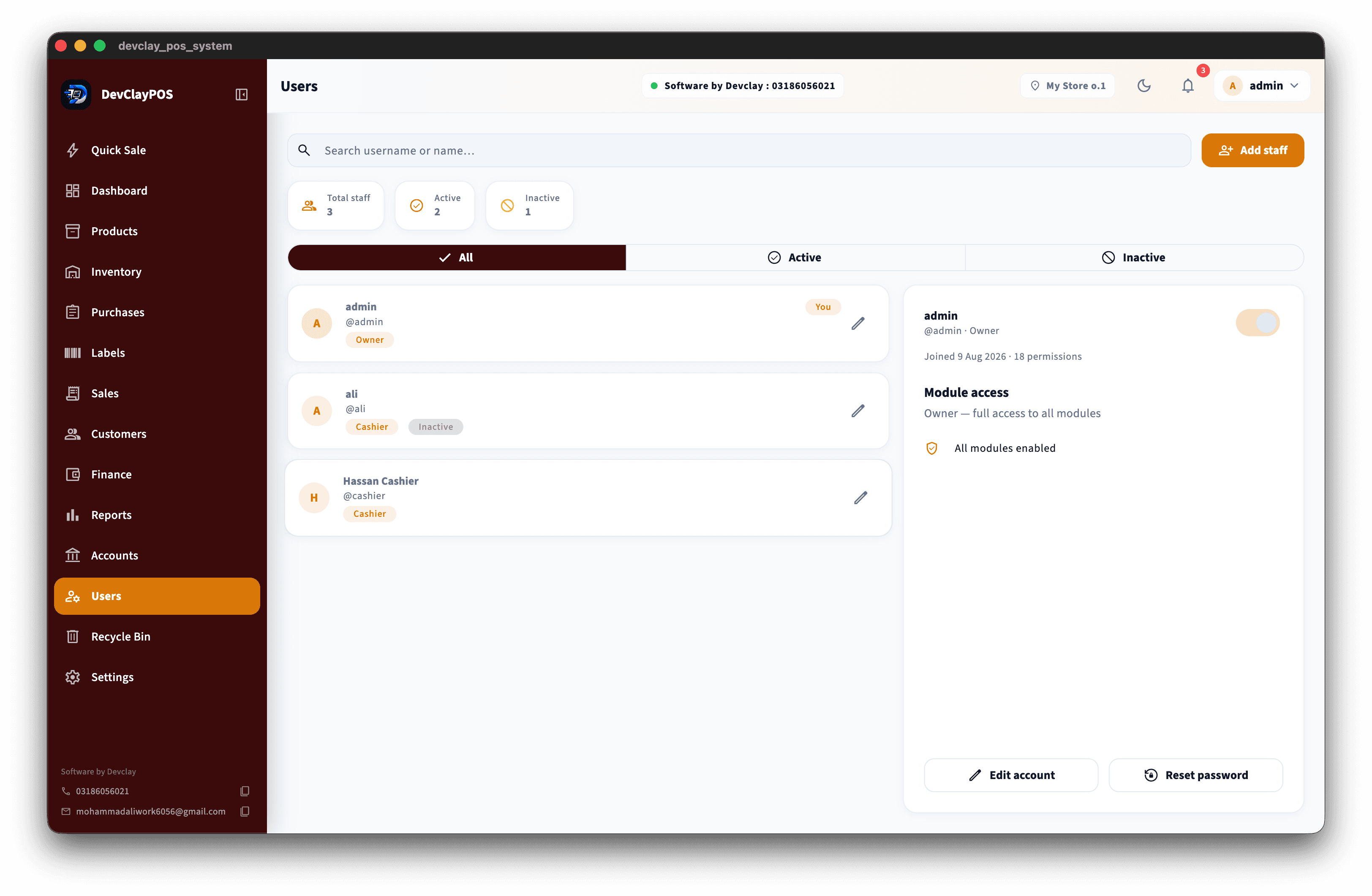
Users & roles screenshot

Users & roles

Owner, manager, and cashier access with clear permissions.
  • •Owner, manager, and cashier roles
  • •Permission controls
  • •Safer voids and discounts
  • •Price override controls
  • •Team login on the counter PC
  • •Clear access per staff member
  • •Protect sensitive money actions
  • •Simple role setup
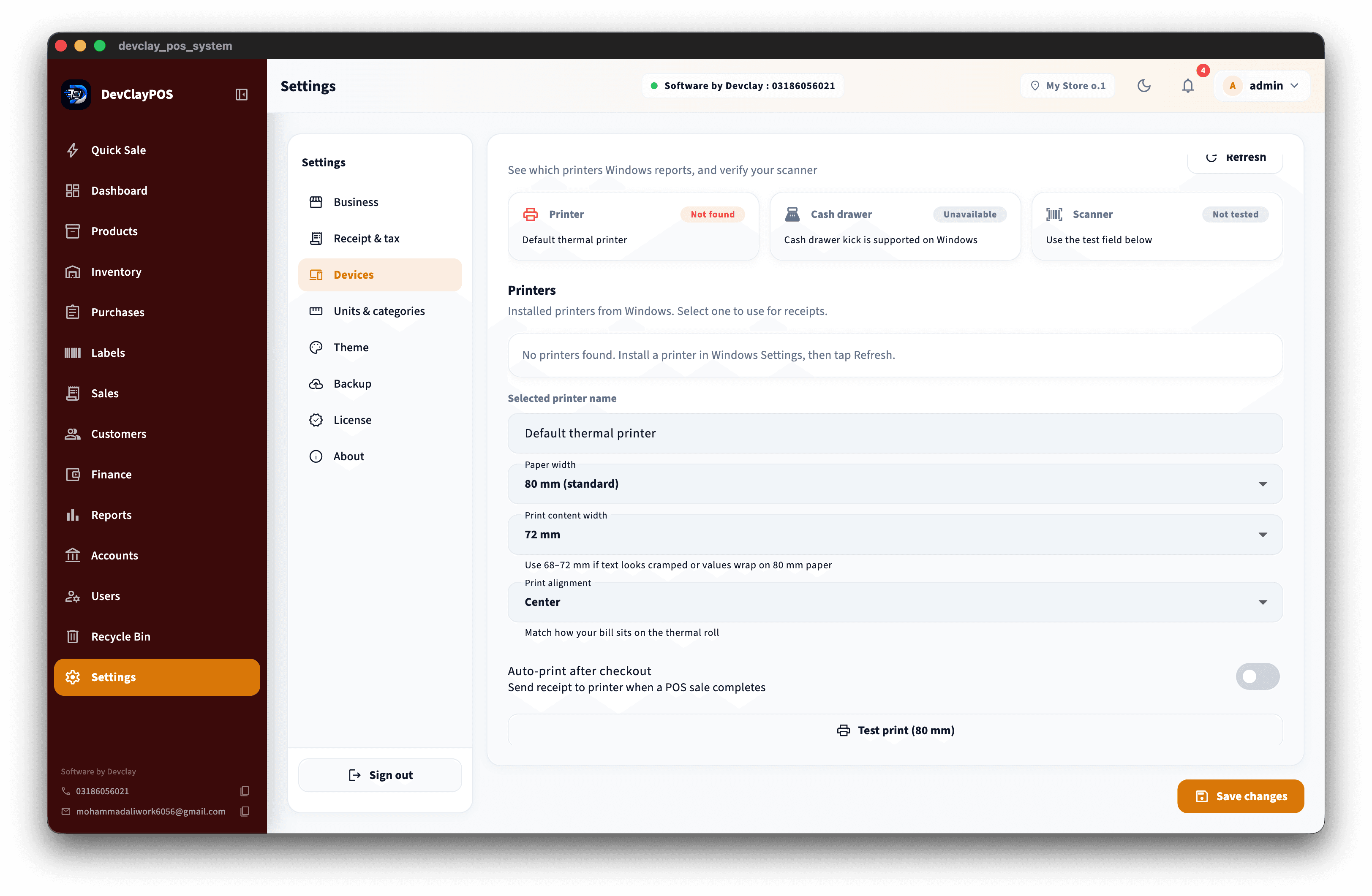
Hardware screenshot

Hardware

Thermal receipts, cash drawer, scanners, and label printers.

  • •Thermal receipt printing
  • •Cash drawer kick
  • •Barcode scanner friendly
  • •Zebra and thermal label printers
  • •Counter PC setup
  • •Windows and macOS support
  • •Local printer workflows
  • •Shop-floor ready hardware flow
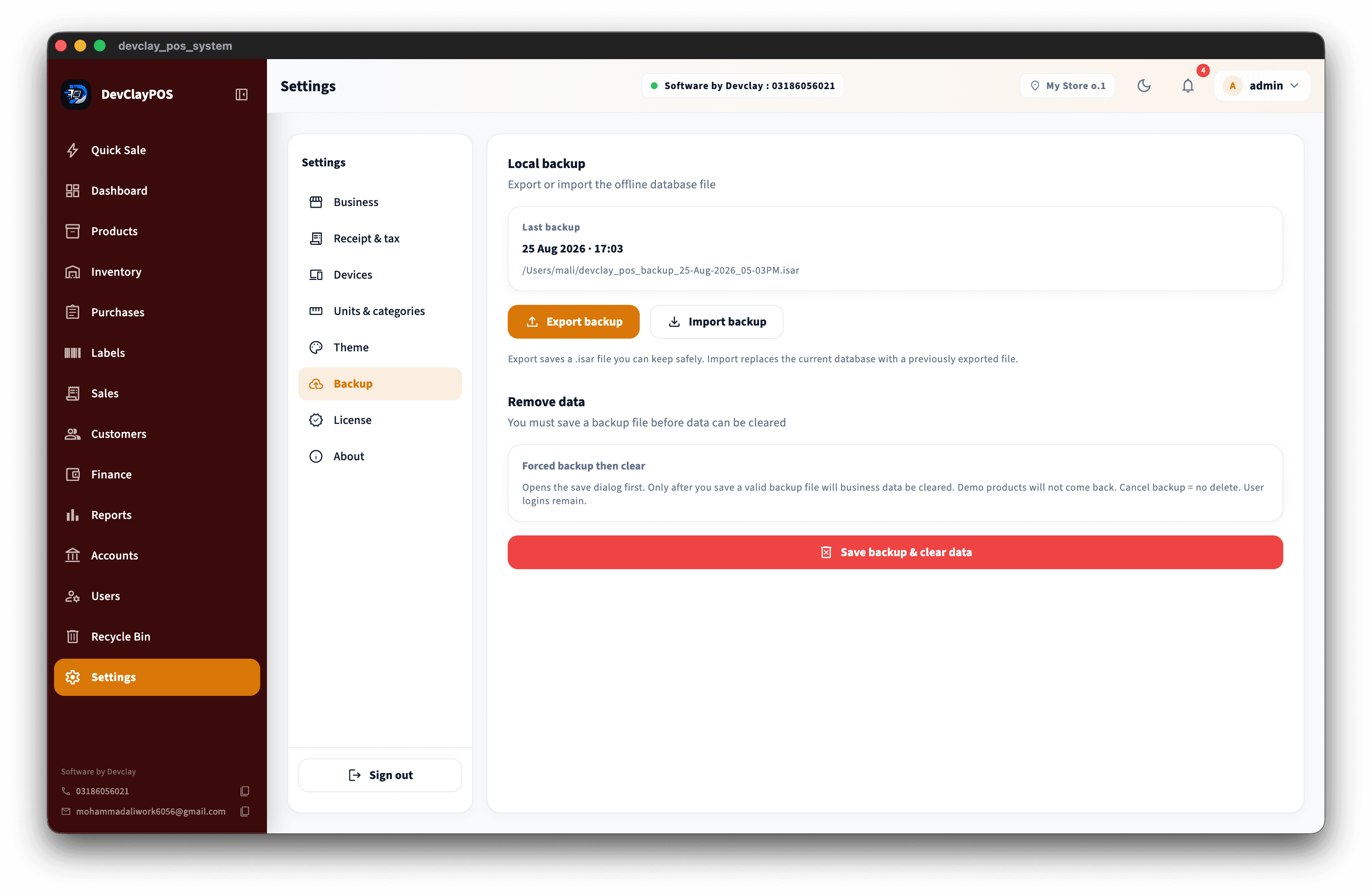
Settings, backup & license screenshot

Settings, backup & license

Business settings, backup, recycle bin, and desktop licensing.

  • •Business and shop settings
  • •Backup and restore
  • •Desktop license activation
  • •Trial support
  • •Recycle bin for recovery
  • •Tax and receipt settings
  • •User and role setup
  • •Multi-store ready where configured

Product film

Watch a walkthrough of DevClayPOS — checkout, inventory, khata, finance, and reports.

Ready for your shop floor?

Request a demo and see how DevClayPOS fits your counters, stock, and daily closing.